
Install and connect
Download the plugin and connect your site to your WPVoicer account in one onboarding flow.
WPVoicer is built for WordPress publishers and teams that want article-to-audio output in a clean white-label workflow, with optional intro/outro text, prepaid credit packages and no external TTS console to manage.
Install the plugin, connect your WPVoicer account, set voice and intro/outro options, then generate audio from real posts directly from your WordPress workflow.
Download the plugin and connect your site to your WPVoicer account in one onboarding flow.
Choose voice settings, generation limits and optional intro/outro text from a single plugin interface.
Generate MP3 from post content, including the intro/outro text when enabled, and publish with your preferred page builder setup.
Sibillo Audio is the plugin name on WordPress.org. WPVoicer is the connected audio service and the brand you see inside the plugin interface.
Open Sibillo Audio → Connection. Register or sign in, then confirm that the site shows as connected before generating your first audio.

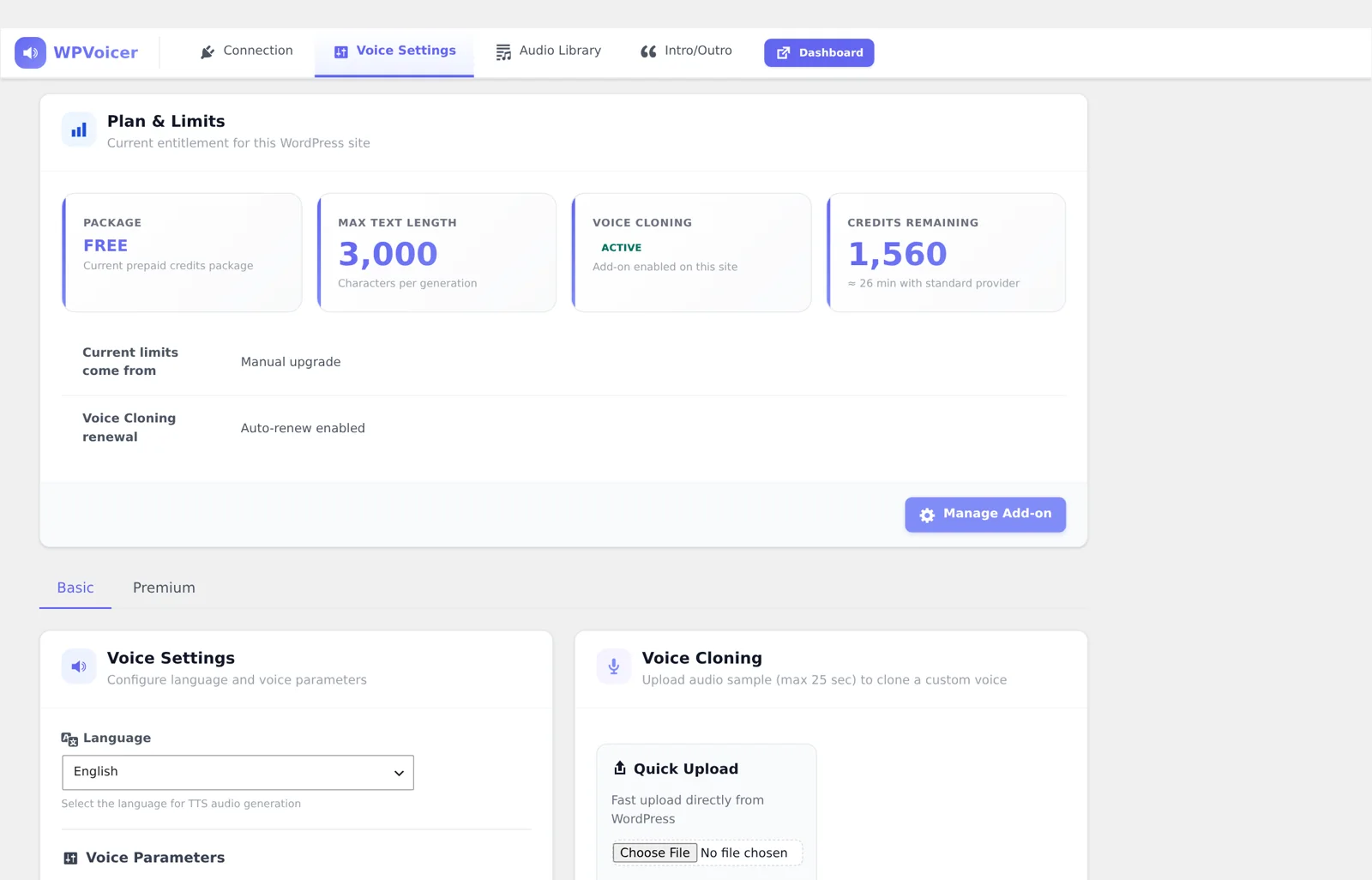
Go to Voice Settings. Select the Basic or Premium voice collection, listen to previews, and save the voice you want to use.
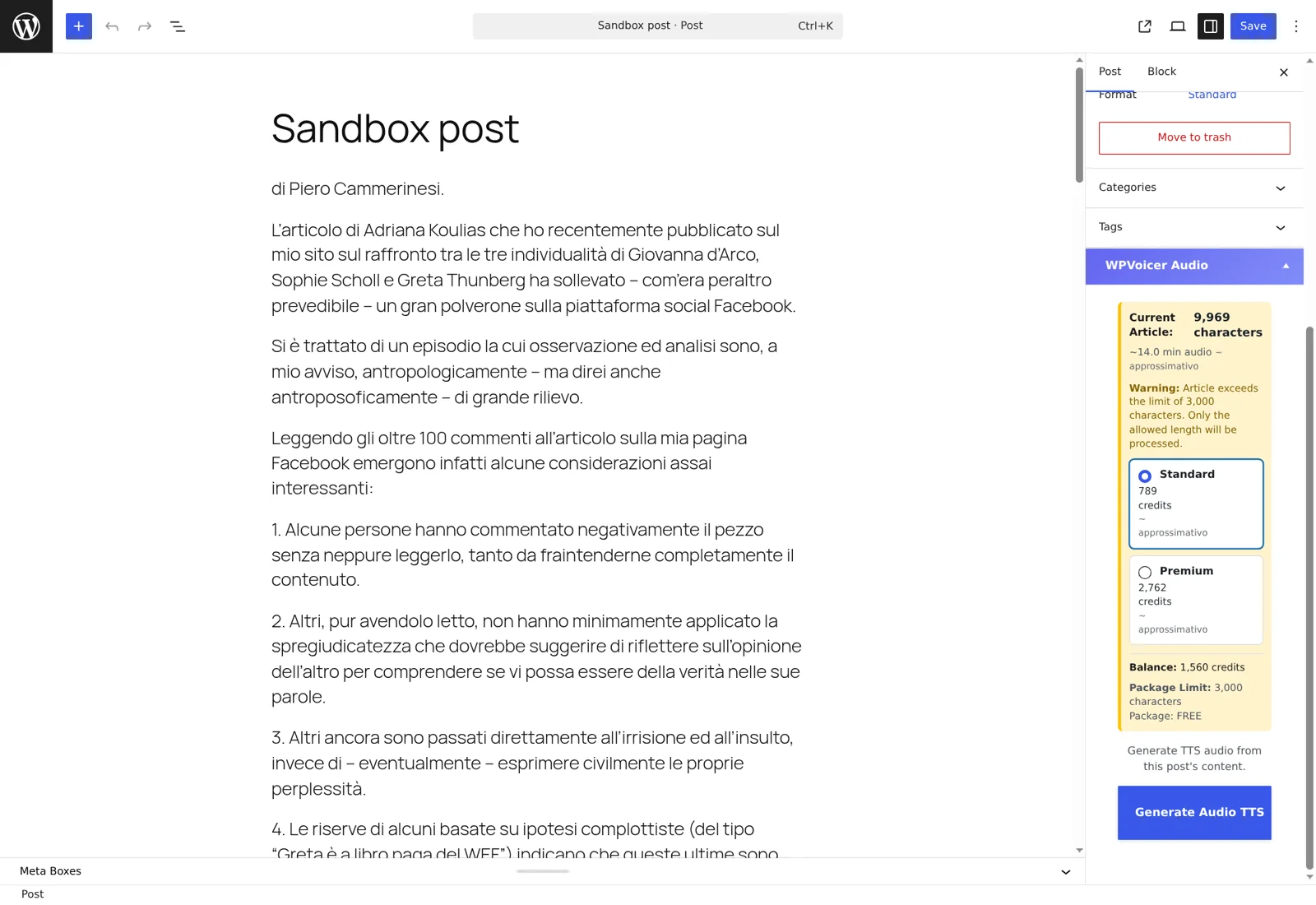
Edit the article you want to narrate and open the WPVoicer Audio panel in the post sidebar. Review the character estimate, choose Standard or Premium, then click Generate Audio TTS.
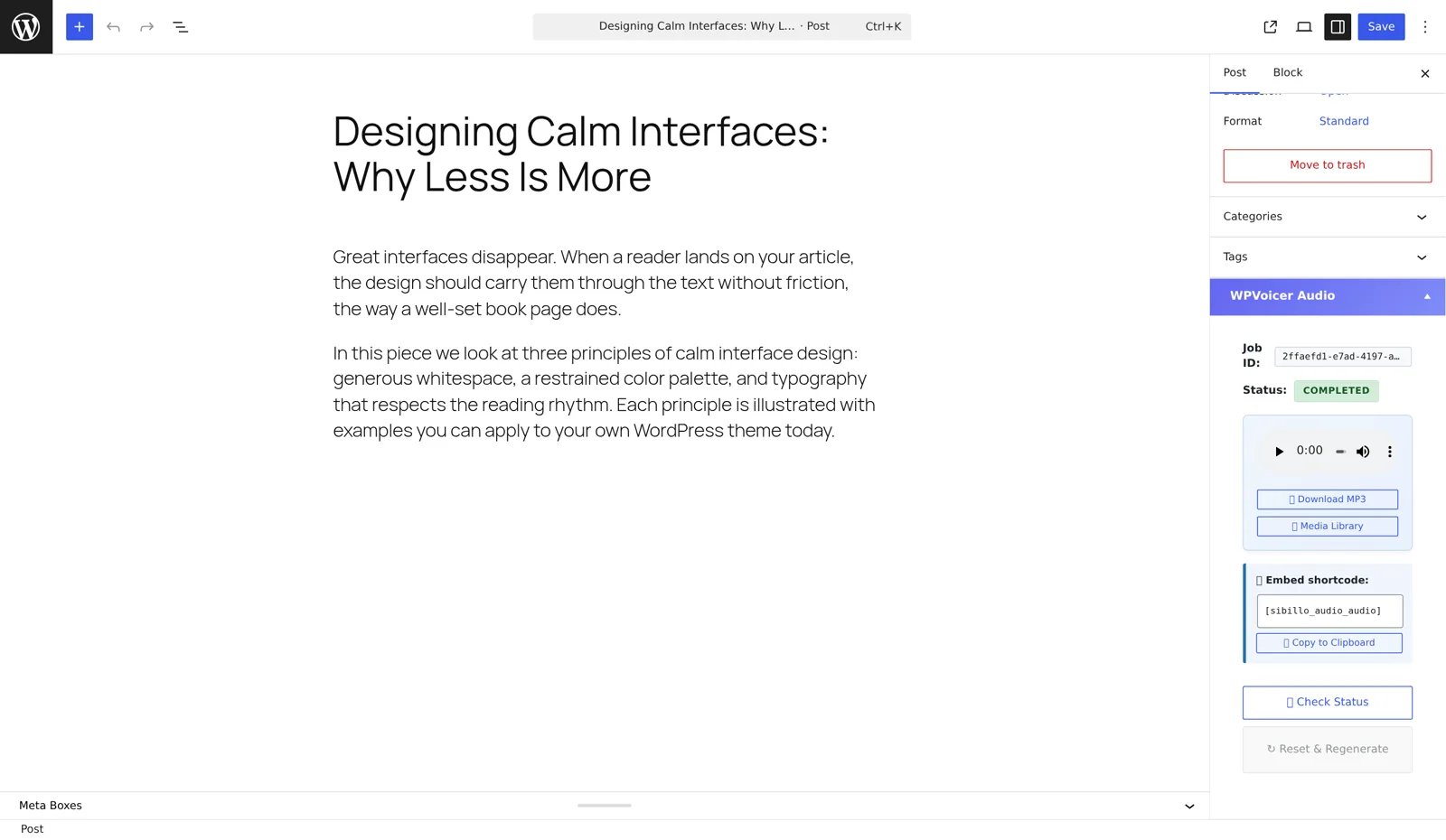
When generation is complete, the same panel shows the player, MP3 download and Media Library link. The audio remains attached to the post for shortcodes and supported page builders.
WPVoicer fits sites that already publish in WordPress and want audio to become a normal step of the editorial process.
Add audio versions to news, guides and evergreen posts without sending every article through a separate production queue.
Give client sites a white-label audio feature without asking every client to manage TTS accounts, API keys or provider settings.
Let editors generate, review and reuse audio from the post they are already working on, instead of moving files between tools.
Most TTS tools stop at audio generation. WPVoicer focuses on the WordPress steps that usually slow teams down.
Copy the article into another tool, generate the file, download it, upload it back to WordPress and manually place the player.
Generate audio from the real post, keep the MP3 connected to WordPress and reuse it in templates or supported builders.
Audio becomes a repeatable publishing step instead of a separate technical task for every article.
The questions most teams ask before adding audio to their WordPress publishing workflow.
No. WPVoicer is designed so the plugin connects to the WPVoicer account and handles generation without asking the user to manage provider API keys.
The generated MP3 is attached to the WordPress post as a Media Library asset, so templates and integrations can read the post-specific audio output.
Yes. New users install the plugin, register from WordPress and start with the free credits assigned to the free account profile.
No. Credit packages are prepaid and do not expire. Voice cloning is the separate add-on when a custom voice is needed.