Elementor Pro
Use WPVoicer audio as dynamic content inside Elementor templates and widgets.
Connect the generated MP3 to the parts of the layout that matter, without manual copy-paste every time you publish.
WPVoicer gives WordPress sites a white-label article-to-audio workflow with built-in voices, optional intro/outro text, custom voice cloning, prepaid credit packages, and no custom TTS plumbing to maintain.
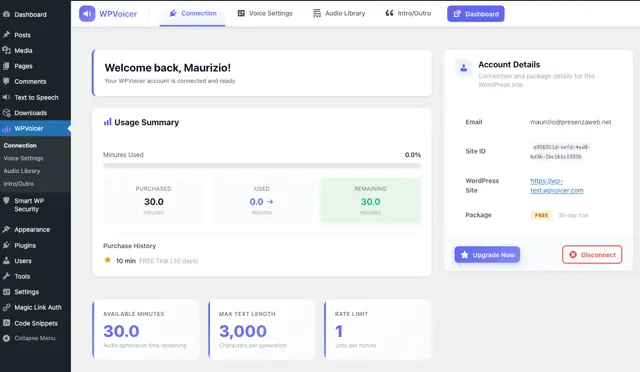
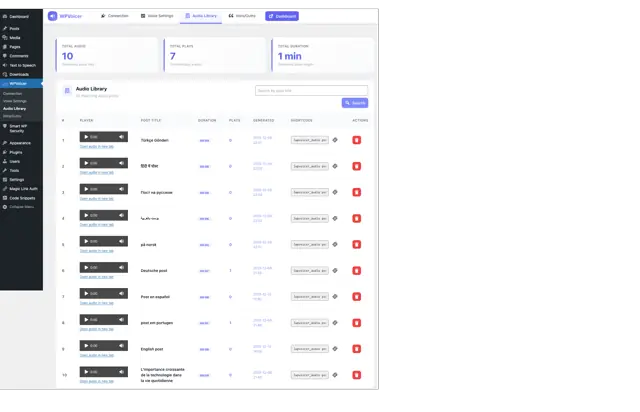
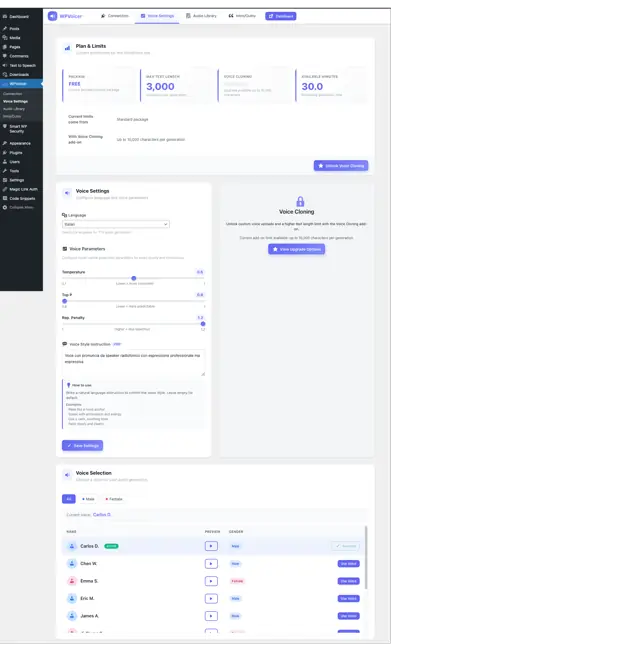
Customers manage generation, voices, audio library and limits from one WordPress-native interface.
No plugin license, no plugin subscription.
Pay only for the audio you generate.
Separate subscription only if you want it.
Switch between languages and voice quality before you install anything. Basic covers the core sample set; Premium gives access to an extended language catalog for publishers who need more coverage.
Premium unlocks an extended 70+ language catalog beyond the examples shown here.
You do not need to design a TTS stack. WPVoicer handles the moving parts and keeps the experience inside WordPress.
Install the plugin, connect your account, and enable the article audio workflow on your WordPress site.
Start with built-in voices or unlock a custom voice path for a more branded listening experience.
Create audio directly from the article, with optional intro and outro text, without exporting content or managing a separate toolchain.
Deliver the listening experience on your own site, under your own brand, with reusable audio settings and simple controls.
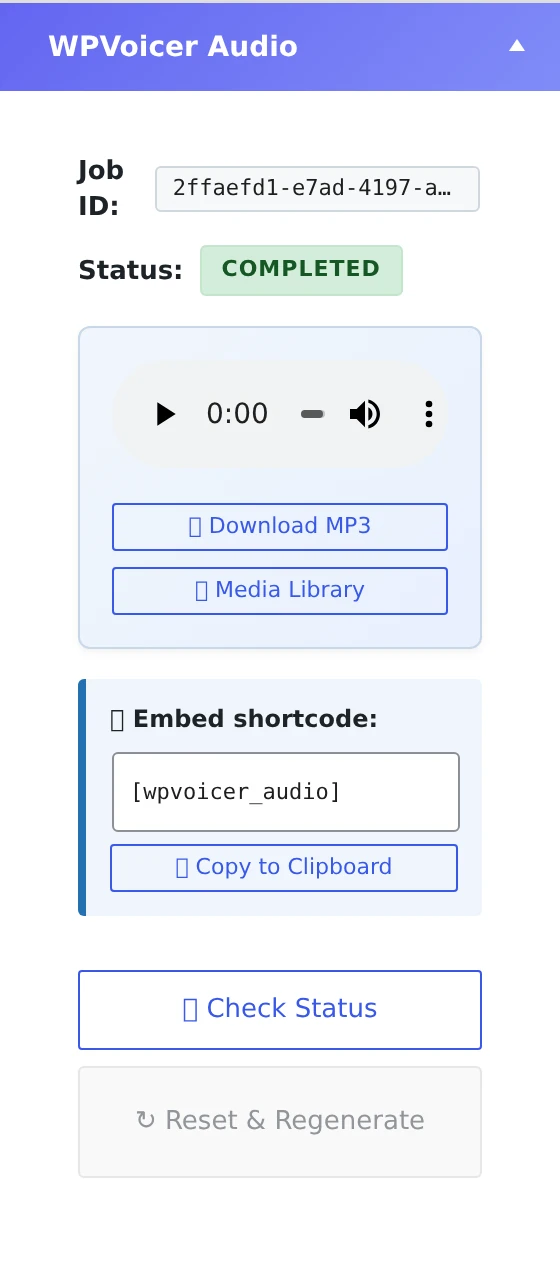
WPVoicer does not force you into a rigid player workflow. If your site is built with a visual builder, you can pull the generated audio into your templates using native dynamic data and keep the experience aligned with your layout system.
Connect the generated MP3 to the parts of the layout that matter, without manual copy-paste every time you publish.
The audio layer stays connected to the post, so your publishing workflow remains clean.
No extra media handling rituals needed.
Shortcode support is also available when you want a faster, universal fallback.
* Elementor, Bricks and Breakdance are trademarks of their respective owners. WPVoicer is an independent product and is not affiliated with or endorsed by them.
WPVoicer is designed for teams that want article audio on WordPress without becoming part-time infrastructure operators.
WPVoicer helps teams ship article audio faster, keep the experience branded, and test new distribution formats without building a custom stack.
Give readers a listening option for long-form content, editorial pieces, and time-sensitive posts.
Keep the listening experience on your site, under your own brand, instead of sending users into third-party tools.
Turn existing posts into audio without adding a manual recording or editing workflow to the publishing team.
Use premium built-in voices for speed or activate custom voice cloning for a more distinctive branded sound.
Prepaid credits make spending easier to understand than a pile of raw provider metrics and hidden operational overhead.
From solo publishers to agencies managing multiple sites, the workflow stays simple and repeatable.
WPVoicer fits best when article publishing is already a consistent habit and audio should become an integrated extension of that habit.
Add audio to analysis, commentary, and long-form posts without bringing in a separate production team.
Turn article libraries into listenable content while keeping workflow and distribution close to your CMS.
Offer article audio as a premium service without making every customer configure providers and APIs.
Simple commercial model, easier to explain to clients than provider billing internals.
Keep voice cloning as a meaningful differentiator instead of burying it inside generic TTS pricing.
Customers do not need to become TTS buyers, integrators, or infrastructure managers.
The product feels like part of the publishing system, not an external bolt-on.
The plugin itself is free and will stay free. These are prepaid audio credit packages available after setup: buy credits when you need generation capacity, not because the plugin expires.
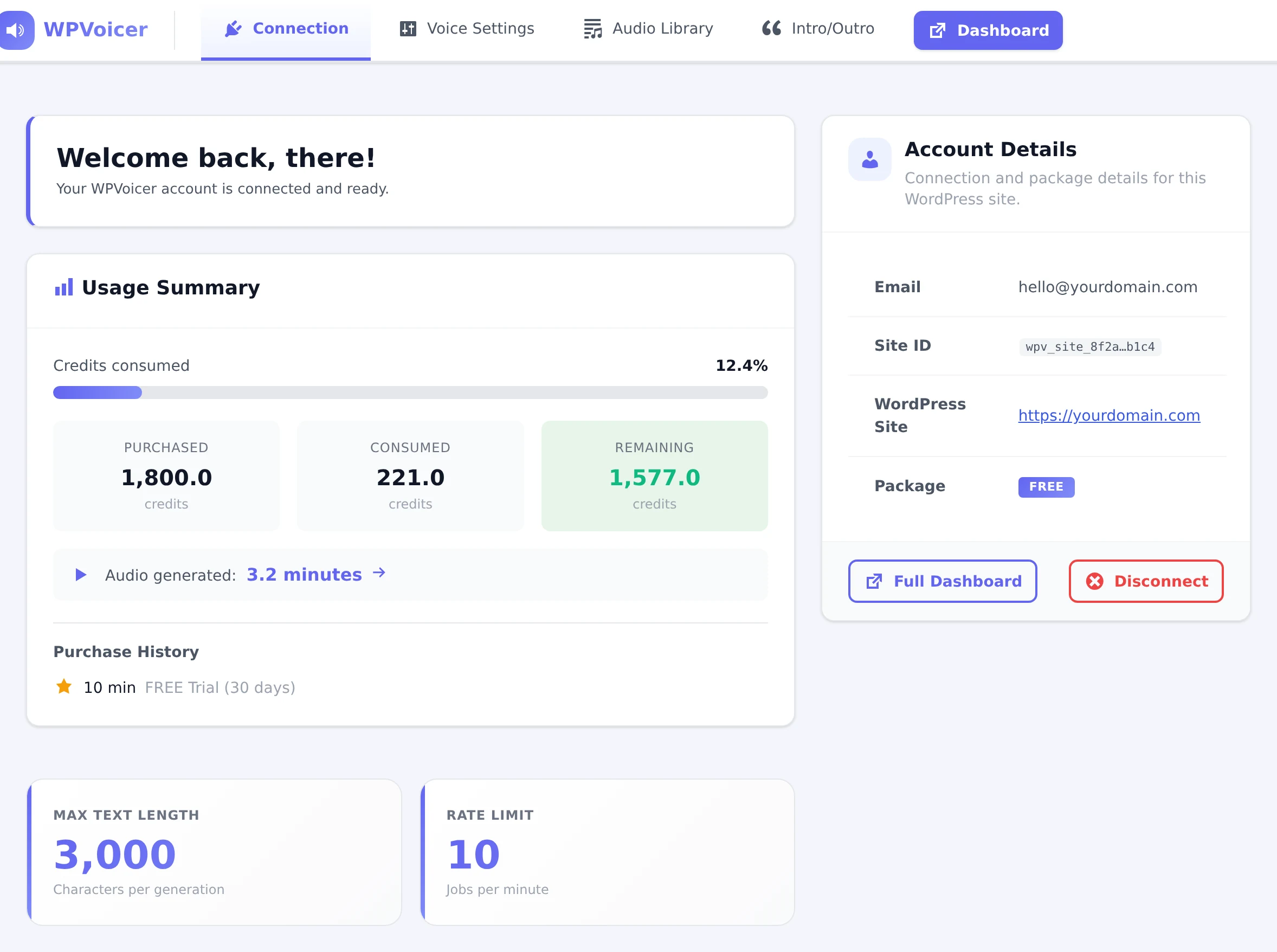
The WPVoicer plugin has no license fee and no plugin subscription. You only pay for audio credits, plus the optional Voice Cloning subscription if you choose custom voices.
Install it, keep it, update it, and use the WordPress workflow without paying a plugin license.
Credits are consumed only when you generate audio from posts.
A separate subscription for users who want custom cloned voices.
Best for regular articles, news posts, and high-volume publishing.
Use it when voice quality matters more than maximum output volume.
Need to clone your own voice? Voice Cloning is a separate add-on subscription. Learn more →Voice Cloning add-on: $14.90/month or $149.00/year. Credit packages are separate.
These are the objections worth answering early, because they sit directly on the path to conversion.
No. That is one of the main points of WPVoicer. The product is meant to remove that setup burden from the customer.
No. The value is the WordPress-native workflow, the commercial model, the white-label experience, and the operational simplicity around article audio.
Yes. Voice cloning is available as a separate add-on. Credit packages do not include it by default.
No. The WPVoicer plugin is free and will stay free. You only pay for prepaid audio credits when you need to generate audio, and Voice Cloning is a separate optional subscription.
WPVoicer uses prepaid credit packages for audio generation. Credits do not expire, so you can buy now and use them later without a monthly reset.
Yes. You can keep WPVoicer installed for free. Buying credits is only necessary when you want to generate more audio after the free credits are used.
You do. Once audio files are generated for your WordPress content, they belong to you and can remain in your WordPress Media Library for use on your site.
Teams already publishing on WordPress that want a usable article-audio workflow, not a custom technical project.
Download the plugin, create your free account inside WPVoicer, and generate audio from one real article on your own site.
Download WPVoicer, install it on your own WordPress site, and follow the guided onboarding wizard inside the plugin. It helps even non-technical users create their WPVoicer account, connect the site, and generate audio from one real post with the free credits.
Use the WordPress plugin first, not a disconnected SaaS signup flow.
Upload the plugin, open WPVoicer, and connect your site.
Your WPVoicer account is created from the plugin installed on your own WordPress site.
Open a real post, launch WPVoicer from the editor, and use the free credits before buying a package.
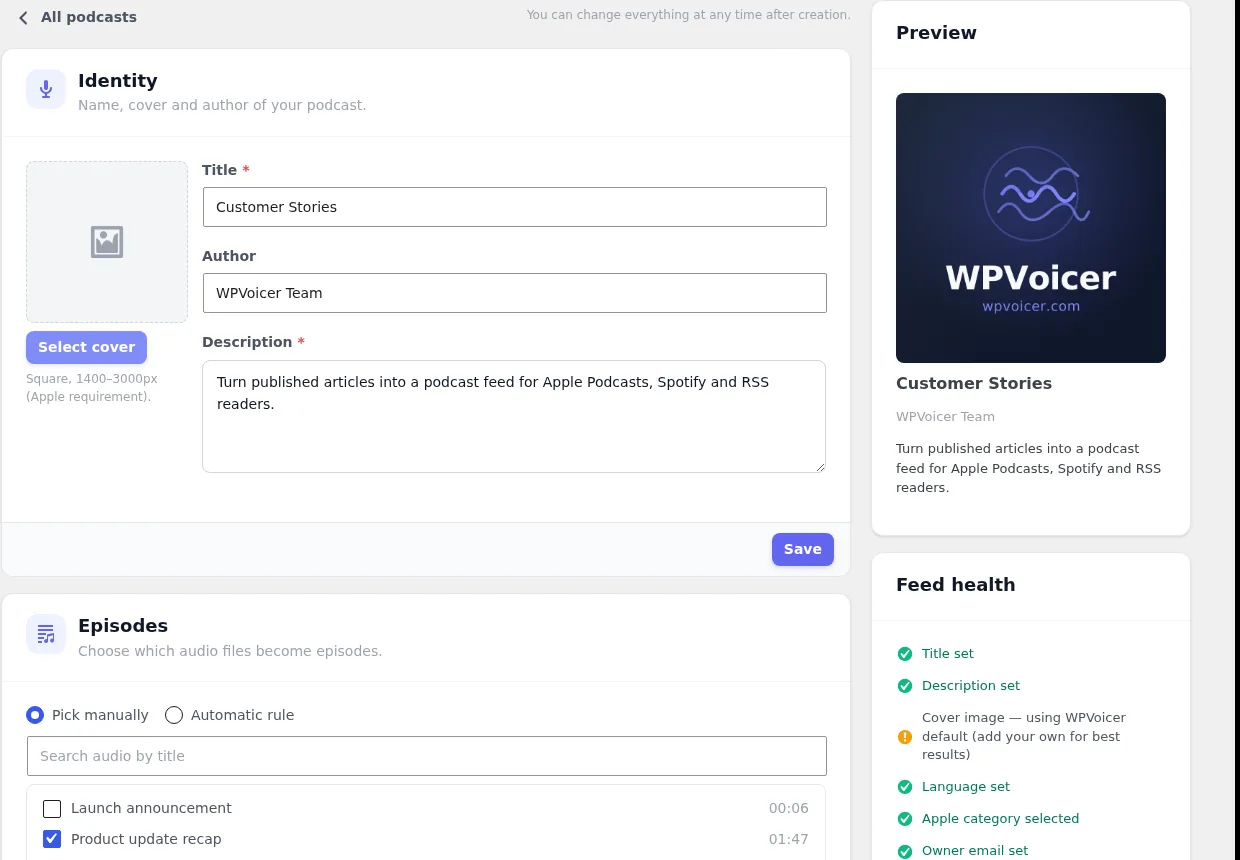
WPVoicer can group post audio into podcast shows, expose iTunes-compatible RSS feeds, and keep major podcast platforms and RSS readers supplied from the same WordPress workflow.